


 Call us:


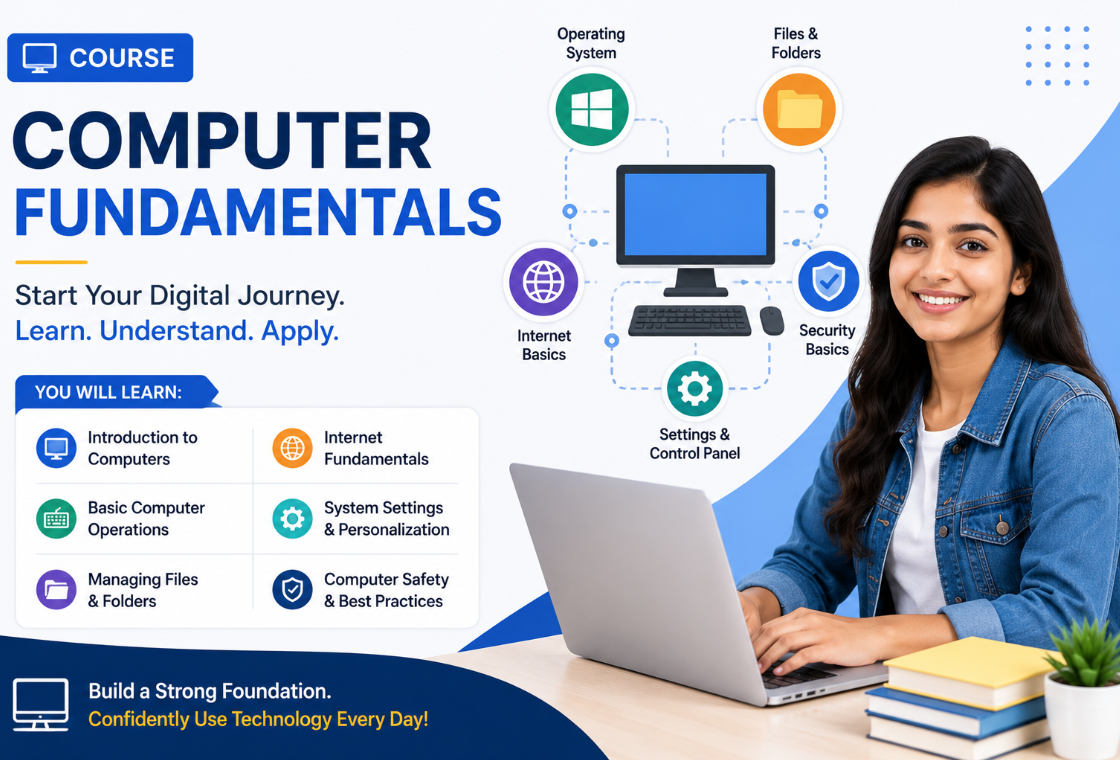
Overview of Computer Fundamentals
Learn Computer Fundamentals Online Course for Kids
In today's digital world, computer knowledge is no longer optional—it's an essential life skill. Whether children are preparing for school projects, online learning, or future careers, understanding computer fundamentals gives them the confidence to use technology effectively and safely.
At A3School, our Computer Fundamentals Course is specially designed for beginners and school students. The course introduces children to the basics of computers through simple explanations, practical activities, and interactive online classes. Students learn how computers work, how to use essential software, browse the internet safely, create documents, and develop digital skills that will benefit them throughout their education.
Our experienced instructors ensure every child learns at their own pace while building confidence in using computers independently.
Why Learn Computer Fundamentals?
Technology is part of everyday life. Students use computers for homework, research, communication, presentations, coding, and creative projects. Learning computer fundamentals helps children become responsible digital citizens while improving their academic performance.
Benefits include:
- Better digital literacy
- Improved typing speed and accuracy
- Confidence using computers
- Understanding computer hardware and software
- Internet safety awareness
- Enhanced productivity using MS Office
- Better preparation for future technology courses
- Strong foundation for coding and programming
What Students Will Learn
Our computer fundamentals course covers all the essential topics beginners need.
Introduction to Computers
- What is a computer?
- Types of computers
- Uses of computers
- Generations of computers
Parts of a Computer
Students learn about:
- Monitor
- CPU
- Keyboard
- Mouse
- Printer
- Scanner
- Speakers
- Webcam
- Storage devices
Hardware and Software
Students understand the difference between:
- Computer hardware
- Operating systems
- Application software
- Utility software
They also learn how different components work together.
Operating System Basics
Children become familiar with:
- Desktop
- Files and folders
- Windows navigation
- Opening applications
- Saving files
- Organizing documents
MS Office Basics
Students receive hands-on practice with:
- Microsoft Word
- Microsoft Excel
- Microsoft PowerPoint
They learn document creation, formatting, tables, presentations, and basic spreadsheets.
Internet Basics
The course introduces students to:
- Web browsers
- Search engines
- Safe internet browsing
- Email basics
- Online research
- Downloading files responsibly
Special emphasis is placed on internet safety and protecting personal information.
Typing Skills
Typing practice helps students improve:
- Finger placement
- Typing speed
- Accuracy
- Keyboard shortcuts
- Productivity
File Management
Students learn:
- Creating folders
- Saving documents
- Copying files
- Moving files
- Renaming files
- Deleting files safely
Digital Safety
Children understand:
- Strong passwords
- Online privacy
- Cyber safety
- Safe websites
- Recognizing scams
- Responsible internet usage
Course Highlights
- Live Online Interactive Classes
- Beginner-Friendly Curriculum
- Practical Hands-on Learning
- Experienced Computer Trainers
- Small Batch Size
- One-to-One Doubt Support
- Real-Life Computer Activities
- MS Office Practice
- Internet Safety Training
- Typing Skill Development
- Flexible Class Timings
Who Can Join?
This course is ideal for:
- School students
- Beginners
- Kids aged 6–16 years
- Students with no computer experience
- Children preparing for digital education
- Parents looking to improve their child's computer skills
No prior computer knowledge is required.
Why Choose A3School?
At A3School, learning goes beyond theory. Every class focuses on practical understanding and real-world applications.
Our instructors encourage students to explore, ask questions, and develop confidence through guided practice. Lessons are interactive, engaging, and designed to make learning enjoyable.
Parents receive regular updates on student progress, ensuring continuous improvement throughout the course.
Skills Students Gain
After completing the course, students will be able to:
- Operate a computer confidently
- Use keyboard and mouse efficiently
- Create professional documents
- Build PowerPoint presentations
- Perform basic Excel tasks
- Browse the internet safely
- Manage files and folders
- Use email confidently
- Apply digital safety practices
- Prepare for advanced computer courses
Benefits of Learning Computer Fundamentals
A strong understanding of computers helps students in almost every subject. From completing assignments to creating presentations and researching information, digital skills improve learning outcomes.
Computer literacy also prepares children for future technologies like coding, robotics, artificial intelligence, and data science.
By starting early, students gain a significant advantage in academics and future career opportunities.
Enroll Today
Give your child the confidence to thrive in the digital world with A3School's Computer Fundamentals Course.
Our engaging online classes help students master essential computer skills through practical learning, expert guidance, and interactive lessons.
Enroll Now and build a strong digital foundation for your child's future!
Frequently Asked Questions (FAQs)
1. Who can join the Computer Fundamentals course?
The course is designed for beginners, school students, and kids aged 6–16 years. No prior computer knowledge is required.
2. What topics are covered in the course?
Students learn computer basics, hardware, software, MS Office, typing skills, internet usage, file management, digital safety, and more.
3. Are the classes conducted online?
Yes. A3School offers live online interactive classes with experienced instructors, allowing students to learn from home.
4. Will students receive a certificate?
Yes. Students who successfully complete the course receive a Certificate of Completion from A3School.
5. Why should my child learn Computer Fundamentals?
Computer skills are essential for academics and future careers. Learning computer fundamentals improves digital literacy, productivity, confidence, and prepares students for advanced technology courses like coding and robotics.